


File Size: 7.56 GB
Zorin OS Ultimate lets you unleash the full potential of your computer. Whether you’re into business, multimedia or gaming, you can rely on its enormous selection of software to do incredible work, or just to have fun Zorin OS is a personal computer operating system based on Ubuntu.It is marketed as an operating system designed for users new to Linux-based computer systems.
We’re excited to announce the launch of Zorin OS 17 today. It’s packed with enhancements that make the desktop experience even better, and under-the-hood improvements that make your computer faster, more robust, and secure.
Zorin Appearance: Making the desktop more customisable than ever before
We’ve made additions and improvements to Zorin Appearance which help make your Zorin Desktop experience even more personal and comfortable to use.
Additional theming options
Thanks to users’ suggestions, we’ve implemented the ability to change your cursor theme. To set it, you can now open the “Themes” section in Zorin Appearance, click the “Other” tab, and open the “Cursor” drop-down menu.
We’ve also made it easier to install additional themes in Zorin OS by adding a link to our new Third-Party Theme Installation Guide within Zorin Appearance. This guide also includes instructions for applying custom styling to native libadwaita apps, which is available thanks to an exclusive patch to the interface library in Zorin OS 17.
A new Windows section
You now have easy access to a plethora of settings to personalise how app windows behave on the Zorin Desktop. The new “Windows” section of Zorin Appearance has been neatly organised and thoughtfully designed to simplify changing window placement behaviour, how titlebars act, and how you can move the focus between open windows.
Zorin OS 18 is now powered by the same version of the Linux kernel as in the latest Ubuntu 24.04 LTS. It comes with updated drivers, bringing even better support for a wider range of hardware, such as
– Intel Core Ultra processors
– AMD Zen 5 CPUs (including the newest Ryzen, Ryzen AI, and EPYC chips)
– NVIDIA GeForce RTX 20, 30, and 40 series graphics cards
– Logitech peripherals
– Various gamepads, including Nintendo Switch Online & Google Stadia controllers and the Lenovo Legion Go
– Lenovo laptop keyboards, such as on the Lenovo V14, V15, and G14 AMN models
System Requirements
– CPU:1 GHz Dual Core – 64-bit
– RAM:2 GB
– Storage:20GB
– Display:800 x 600 resolution
Screen :
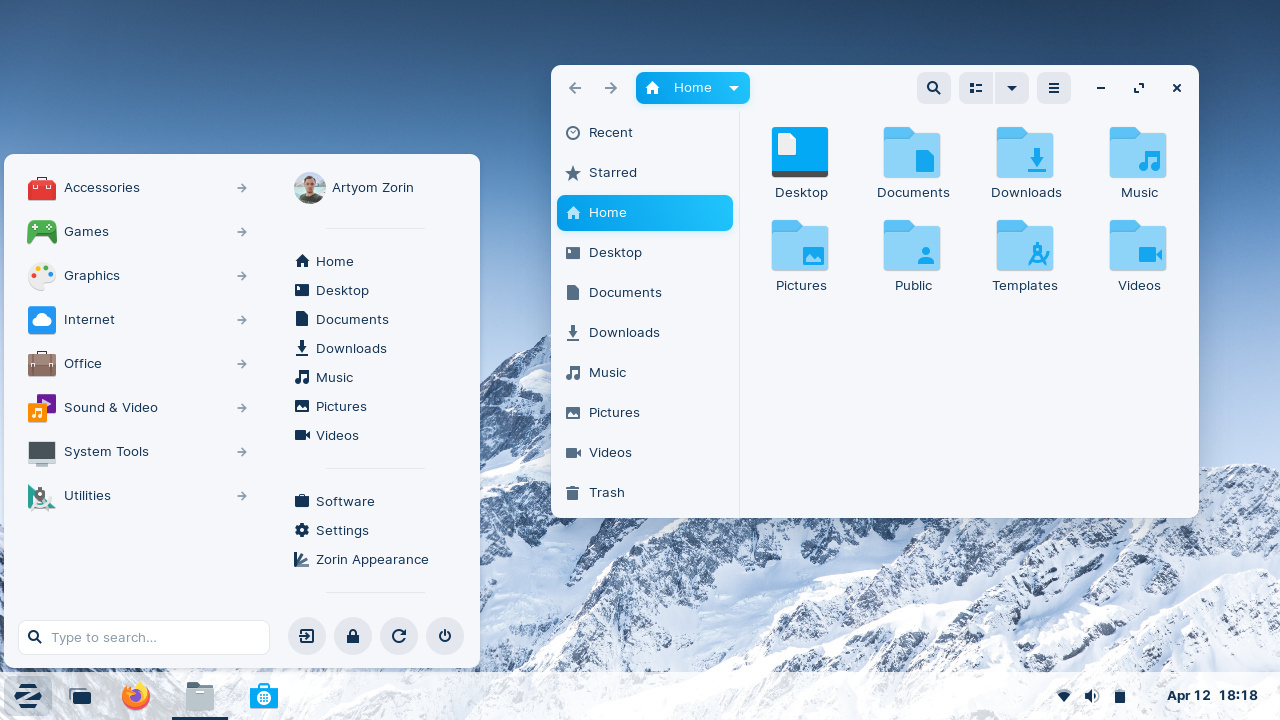
What’s New
https://blog.zorin.com/2025/10/14/zorin-os-18-has-arrived/
HOMEPAGE
https://zorinos.com/
Free Download Link , To support me, buy/renew your premium through my links or Donate :
https://fileq.net/vault/wJKXD6ik7s/DrZero_-dktd01_
https://fileq.net/vault/NygsCEt7sF/DrZero_-uc68VO_
https://fileq.net/vault/unSGCwCUH9/DrZero_-duXuDr_
https://fileq.net/vault/7uUwhxI5yI/DrZero_-SUopl2_
https://filestore.me/u4qsq6rgoco0
https://filestore.me/k9rpgwou20vq
https://filestore.me/fq8k50629hkk
https://filestore.me/nwyyju25gdcb
https://nitroflare.com/view/0F4CD4E08A62EF5
https://nitroflare.com/view/2C4420AEC9F674E
https://nitroflare.com/view/DD0E904C494A663
https://nitroflare.com/view/EFF9E31ACEA986E
https://rapidgator.net/file/2ddf0ba32a4546c6cc4c512d201285a7
https://rapidgator.net/file/42d3901e862e826cb8e8718d6097d95f
https://rapidgator.net/file/d52e2165e8b19161e43b4495b0b18f09
https://rapidgator.net/file/8a819fa5aea7ed54c96b003626f9463a