


File size: 16.5 MB
Hex Editor allows you to set colors of almost every editor windows element. Select an element in a list and then select a color using color picker control. You can also set the color to "automatic". The sample window layout below immediately reflects changes you make. Pressing Apply button also immediately applies your current coloring scheme to all opened editor windows.
HexEdit can be successfully used for
editing binary files of any size at highest speed
searching and replacing your data in a binary file
writing your microcode programs
researching the functionality of any executable file
streamlining your work using Undo/Redo and other features
HexEdit can be successfully used by
software developers
private users
beta-testers
university students
coders
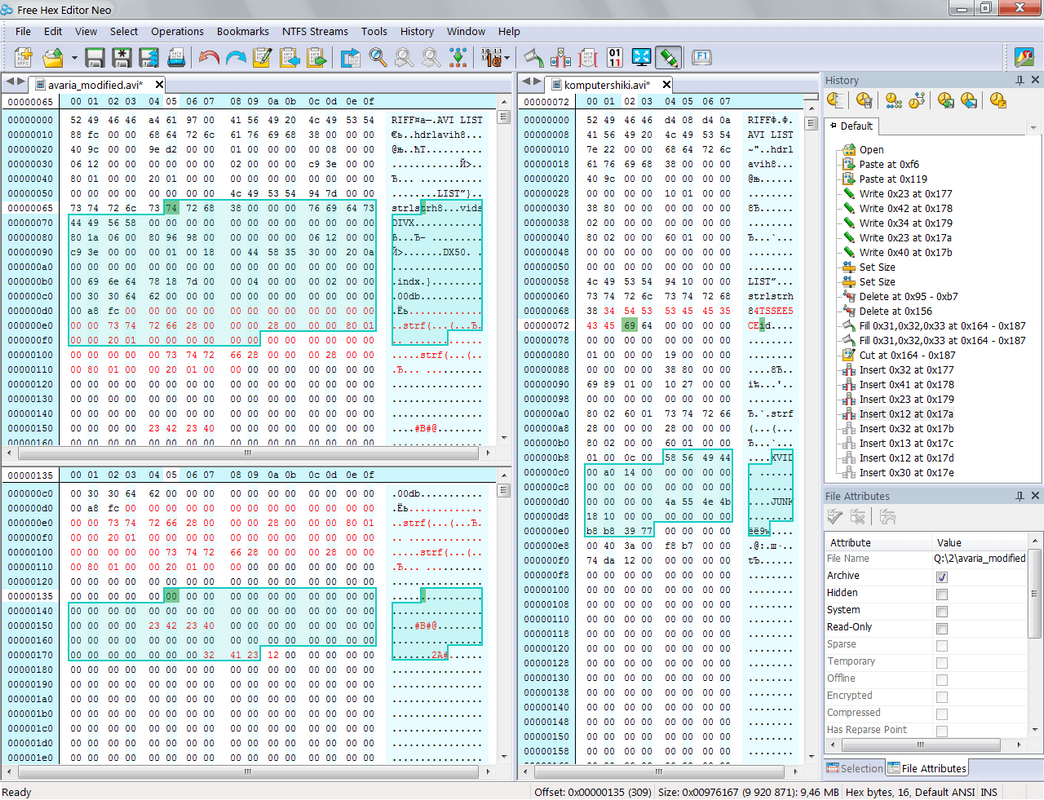
Screen :
What’s New
http://www.hhdsoftware.com/hex-editor/release-notes
HOMEPAGE
http://www.hhdsoftware.com/
Free Download Link , To support me, buy/renew your premium through my links or Donate :
https://rapidgator.net/file/d453933724029aed5a03d98e8a50eb82